
Photo by panumas nikhomkhai from Pexels
In today's fast-paced business environment, managing IT equipment with spreadsheets is increasingly inefficient. Companies are recognizing the need for more robust systems that provide visibility, streamline onboarding kits, and reduce waste. Migrating from spreadsheets to an IT equipment management system like SetupMatch can revolutionize your operations, offering a centralized solution for inventory, policy-based kits, and smart matching.
TL;DR
- Transitioning from spreadsheets can enhance equipment visibility and reduce errors.
- SetupMatch offers policy-based kit allocations, optimizing asset utilization.
- Streamlined processes lead to faster onboarding and less resource waste.
- A step-by-step migration plan ensures data integrity and system integration.
The Limitations of Spreadsheets
Spreadsheets are a common tool for managing IT equipment, but they fall short in several areas. Errors in data entry, lack of real-time updates, and difficulty in tracking equipment status are prevalent issues. As companies grow, these limitations become more pronounced, leading to inefficiencies and potential losses.
Spreadsheets are designed for simple data manipulation and are not intended to handle the complexities of IT equipment management. They lack automated alerts for equipment maintenance, do not integrate easily with other software systems, and require manual updates that can lead to outdated information being used for decision-making. This can result in significant operational inefficiencies, such as double purchasing due to untracked inventory or delays in deploying equipment to employees.
Why Spreadsheets Fail
Spreadsheets are prone to human error and lack the automation required for efficient asset management. They do not provide a clear picture of equipment availability or condition, leading to over-purchasing and under-utilization. Additionally, the manual nature of spreadsheets means that data entry errors are common, and these errors can propagate through reports and analyses if not caught early. This can lead to misinformed decisions that impact the bottom line.
Moreover, spreadsheets do not support real-time collaboration effectively, which is a critical requirement in today's interconnected business environment. Multiple users accessing a spreadsheet simultaneously can lead to issues such as data overwrites and conflicts, which can further compromise data integrity.
Benefits of Migrating to a System

Migrating to a dedicated IT equipment management system provides numerous advantages. These systems offer real-time data, automated tracking, and robust reporting capabilities that are crucial for efficient asset management. By centralizing data, businesses can reduce the likelihood of errors and ensure that decision-makers have access to the most current information available.
Enhanced Visibility and Control
A system like SetupMatch offers a centralized dashboard that provides visibility into equipment status, location, and history. This enables IT managers to make informed decisions, ensuring optimal asset utilization. With enhanced visibility, organizations can track equipment lifecycles from procurement to decommissioning, ensuring that assets are used to their fullest potential and replaced at the right time.
Furthermore, centralized systems often offer integration capabilities with other enterprise tools, such as HR and finance systems, allowing for a holistic view of the organization's assets and their impact on operations. This integration can streamline processes such as budgeting for new equipment purchases or reallocating existing resources to meet changing business needs.
Policy-Based Kit Allocations
SetupMatch allows for the creation of role-based kits, ensuring that new hires receive the appropriate equipment, reducing onboarding time and improving employee satisfaction. This not only enhances the employee experience but also ensures compliance with company policies regarding equipment allocation.
Role-based kit allocations can be automated based on predefined rules, reducing the manual workload for IT departments and ensuring consistency across the organization. This automation can also adapt quickly to changes in role requirements or organizational restructuring, ensuring that equipment allocations remain aligned with business needs.
Steps to Migrate Your Data
Migrating your IT equipment data from spreadsheets to a system requires careful planning and execution. Here is a step-by-step guide to ensure a smooth transition:
Step 1: Audit Your Current Data
Begin by auditing your existing data. Identify any errors or inconsistencies in your spreadsheets to prevent them from transferring to the new system. This involves reviewing each data entry for accuracy and completeness, ensuring that all necessary information is captured and correctly formatted.
Step 2: Define Your Requirements
Understand what you need from the new system. This includes required features, integration capabilities, and scalability. Consider the specific needs of your organization, such as the number of users, the types of equipment you manage, and any compliance requirements you must meet.
Step 3: Clean and Prepare Your Data
Clean your data to ensure accuracy. This involves correcting errors, removing duplicates, and standardizing formats. Data cleaning is a critical step to ensure that the new system functions correctly and efficiently from day one. It’s also an opportunity to enhance data quality by filling in missing information or updating outdated records.
Step 4: Choose the Right System
Select a system that meets your needs. Consider SetupMatch for its comprehensive features tailored for IT equipment management. Evaluate potential systems based on their ability to integrate with your current infrastructure, their user interface, and the level of support offered by the vendor.
Step 5: Plan and Execute the Migration
Develop a detailed migration plan, including timelines and responsibilities. Execute the migration carefully to ensure data integrity. This plan should include a risk management strategy to address potential issues that could arise during the migration process, such as data loss or system downtime.
Overcoming Migration Challenges
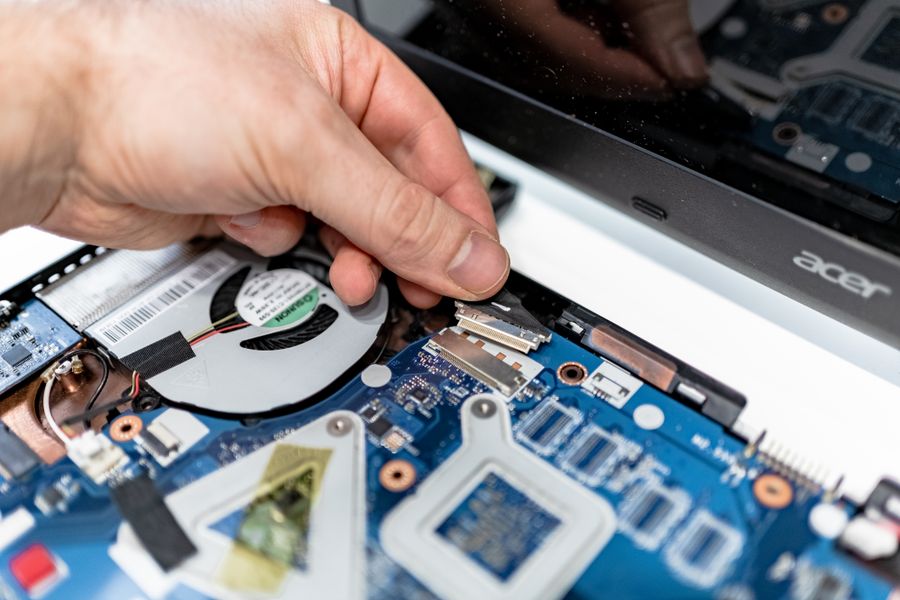
Migration can be daunting, but understanding potential challenges helps in mitigating them. Common issues include data loss, system downtime, and user resistance. Addressing these challenges requires proactive planning and clear communication with all stakeholders involved in the migration process.
Ensuring Data Integrity
Maintaining data integrity during migration is crucial. Regular backups and validation checks can prevent data loss and ensure a successful transition. Implement a validation process where data is checked at multiple stages of the migration to ensure accuracy and completeness.
Minimizing Downtime
Plan your migration to minimize downtime. This ensures continuity in operations and reduces disruptions. Consider conducting the migration during off-peak hours or in phases to allow for ongoing business operations. Communicate with users about expected downtimes and provide support to handle any issues that arise post-migration.
Migration Preparation Checklist
Your progress is saved automatically in your browser.
FAQ
Frequently Asked Questions
Migrating to an IT equipment management system like SetupMatch can transform your operations, providing enhanced visibility, automation, and efficiency. By following a structured migration plan, you can overcome challenges and reap the benefits of a modernized approach to asset management. For more information on how SetupMatch can support your transition, visit our contact page.
Key takeaway: Use SetupMatch to keep kit policies, inventory, and assignments aligned in one system.