Utilization report template for IT leadership
In today's fast-paced IT environment, managing equipment efficiently is crucial for organizations to reduce waste and improve operational readiness. SetupMatch provides a comprehensive solution to streamline IT equipment inventory management, ensuring efficient onboarding and optimal utilization of resources. This article explores how to leverage SetupMatch to enhance visibility, accelerate onboarding, and minimize unnecessary expenditures.

Photo by Tiger Lily from Pexels
In today's fast-paced IT environment, managing equipment efficiently is crucial for organizations to reduce waste and improve operational readiness. SetupMatch provides a comprehensive solution to streamline IT equipment inventory management, ensuring efficient onboarding and optimal utilization of resources. This article explores how to leverage SetupMatch to enhance visibility, accelerate onboarding, and minimize unnecessary expenditures.
TL;DR
- SetupMatch provides a centralized platform for IT equipment inventory management.
- Role-based kit policies ensure faster and more efficient onboarding.
- Smart global matching optimizes resource allocation and reduces waste.
- Utilization insights help in making informed decisions about equipment retirement and purchases.
- SetupMatch enhances visibility into equipment states, from available to retired.
Understanding IT Equipment Utilization
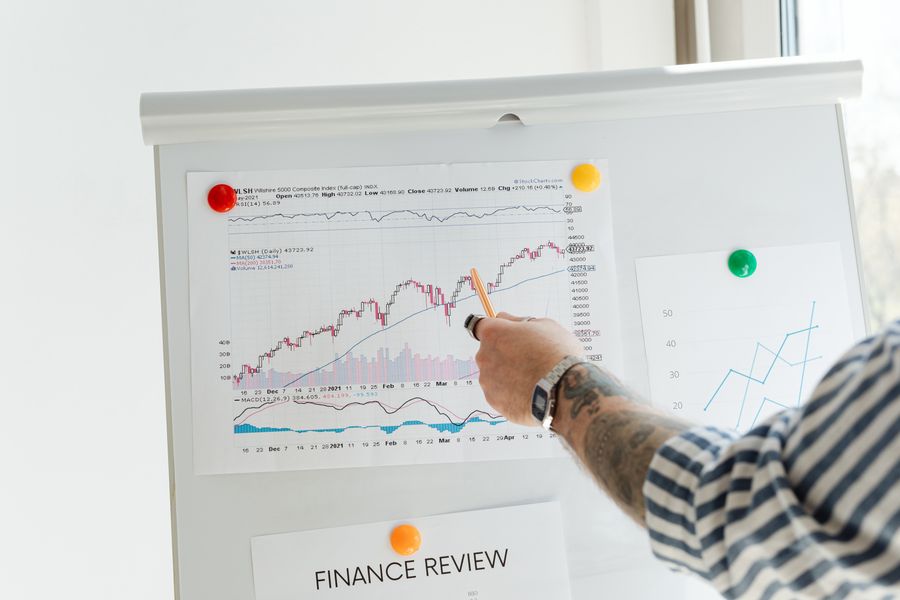
Efficient utilization of IT equipment is essential to cut costs and enhance productivity. In any organization, IT equipment represents a significant investment. Thus, understanding how these assets are used is critical for maintaining an optimized budget and ensuring that all tools are available for employees when they need them.
Utilization involves several layers of analysis. First, it requires tracking how frequently each piece of equipment is used and identifying trends in usage. For example, some devices may be in constant demand, while others gather dust in a storage room. This data can reveal overworked assets that might need upgrading or replacement and underutilized equipment that could be reallocated or retired.
With SetupMatch, IT operations managers can gain insights into these usage patterns, helping them make informed decisions about equipment allocations and purchases. SetupMatch's analytics tools provide a detailed view of equipment status, highlighting which assets are due for maintenance or replacement and which are underutilized and could be repurposed elsewhere.
Key takeaway: Efficient equipment utilization reduces unnecessary expenses and enhances operational efficiency by ensuring all equipment is used to its fullest potential.
Implementing Role-Based Kit Policies
Role-based kit policies are crucial for ensuring that employees have the right tools they need to perform their jobs effectively. SetupMatch allows IT teams to define these policies, ensuring each role receives the appropriate equipment without delays, thereby enhancing productivity and job satisfaction.
Standardization and Customization
- Standardization: One of the primary benefits of role-based kit policies is standardization. By defining standard kits for each role, organizations can streamline onboarding processes. New employees can start their roles with all the necessary equipment ready to go, reducing downtime and increasing productivity from day one.
- Customization: While standardization is crucial, there is also a need for customization. Different departments may have specific requirements that standard kits do not cover. SetupMatch allows for this flexibility by enabling IT teams to tailor kits based on specific departmental needs. This ensures that each employee has the tools necessary to perform their tasks efficiently without unnecessary equipment that could lead to clutter and confusion.
"The most overworked employees are listed at the top of the chart.">, Utilization Report Template
Setting Up Role-Based Kit Policies
Implementing these policies involves several steps that ensure every role within the organization is clearly defined and adequately equipped. Here’s a checklist to guide the process:
Setting Up Role-Based Kit Policies
Your progress is saved automatically in your browser.
Enhancing Visibility with SetupMatch

Visibility into IT assets is vital for effective management. In many organizations, IT equipment is scattered across different departments and locations, making it challenging to keep track of each item's status. This lack of visibility can lead to issues such as over-purchasing, underutilization, and inefficient resource allocation.
SetupMatch provides a centralized platform that acts as a single source of truth for all equipment. This platform allows IT teams to track the status of each item, whether available, reserved, assigned, or retired. Such transparency is crucial for better planning and decision-making, as it reduces the risk of over-purchasing and ensures equipment is ready when needed.
Real-Time Tracking and Reporting
With SetupMatch, real-time tracking and reporting are at your fingertips. IT leaders can quickly generate reports that provide insights into equipment usage, availability, and condition. This data is invaluable for making strategic decisions about new purchases, maintenance schedules, and equipment retirement.
Counter example:
<div class="animate-counter" data-value="40" data-suffix="%"><div class="counter-number"><span class="counter-value">0</span><span class="counter-suffix">%</span></div><span class="counter-label">Less time on onboarding kits with policy-based allocation</span></div>
Optimizing Equipment Allocation
Smart global matching is a feature of SetupMatch that ensures equipment is allocated efficiently across the organization. By analyzing usage patterns and current inventory, SetupMatch can suggest optimal allocation strategies that minimize downtime and maximize equipment usage.

Data-Driven Allocation Strategies
- Allocation Strategy: SetupMatch uses data-driven insights to implement allocation strategies that optimize resource use. By understanding which departments or projects require specific equipment, IT managers can allocate resources where they're needed most, ensuring everyone has the tools necessary for success.
- Reduction in Waste: SetupMatch helps identify underutilized equipment, allowing organizations to reallocate resources to areas of need. This not only reduces waste but also saves money by avoiding unnecessary purchases.
<div class="animate-progress" data-value="75"><span class="progress-label">IT teams still using spreadsheets for asset tracking</span><div class="progress-bar"><div class="progress-fill" style="width: 0%"></div></div><span class="progress-value">0%</span></div>
Steps to Implement SetupMatch
Implementing SetupMatch involves several key steps to ensure a seamless transition and integration into existing IT processes. By following these steps, organizations can maximize the benefits of SetupMatch and improve their overall IT asset management.
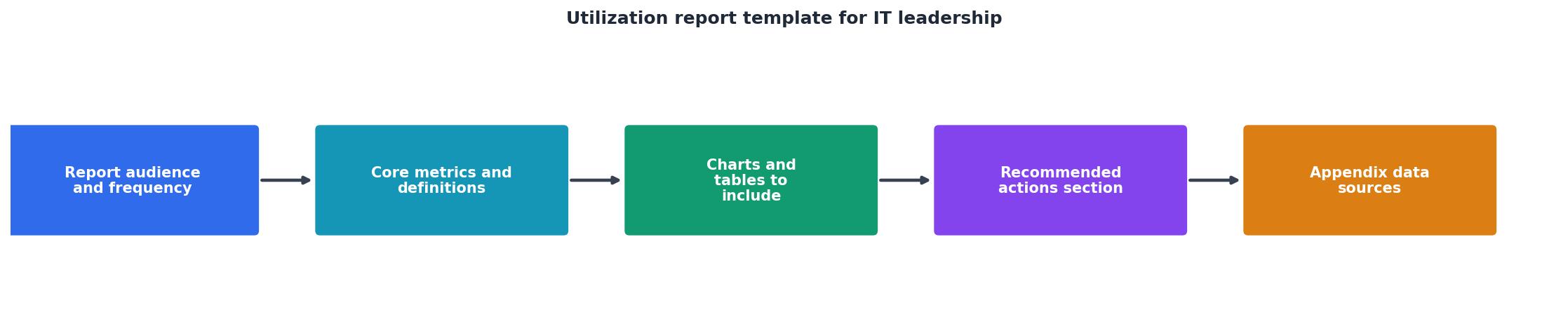
Key Steps for Implementation
- Assessment: Begin by evaluating current IT asset management processes. Identify areas where visibility is lacking, equipment is underutilized, or onboarding processes are inefficient.
- Configuration: Set up SetupMatch with your organization's equipment inventory. Define role-based policies that ensure each employee has the necessary tools for their role.
- Training: Educate your IT team on using SetupMatch effectively. Training should focus on how to use the platform for day-to-day operations, manage equipment lifecycles, and generate utilization reports.
- Monitoring: Continuously monitor utilization insights provided by SetupMatch. Use this data to adjust strategies as needed, ensuring that resources are always used optimally.
FAQ
Frequently Asked Questions
SetupMatch offers a comprehensive solution for managing IT equipment efficiently. By providing insights into utilization and automating kit allocations, it enables IT teams to reduce waste, improve onboarding processes, and ensure that resources are used effectively. For companies looking to optimize their IT operations, SetupMatch is an invaluable tool that delivers tangible results.
Additional Resources
- Free resource utilization report template - Use our downloadable resource utilization report template available as an Excel spreadsheet or Google Sheets to kick start your utilization reporting.
- Monthly Utilization Report Template - Team utilization report is a simple way to visualize your team workload in a specific period of time. Learn more about reports in Teamdeck.
- Create a utilization report - Utilization reports show historical utilization based on incurred hours and forecasted utilization based on future scheduled assignments.
Assign the right equipment to every employee
SetupMatch helps IT teams track inventory, define kit policies, and match employees to the right hardware.
Get started